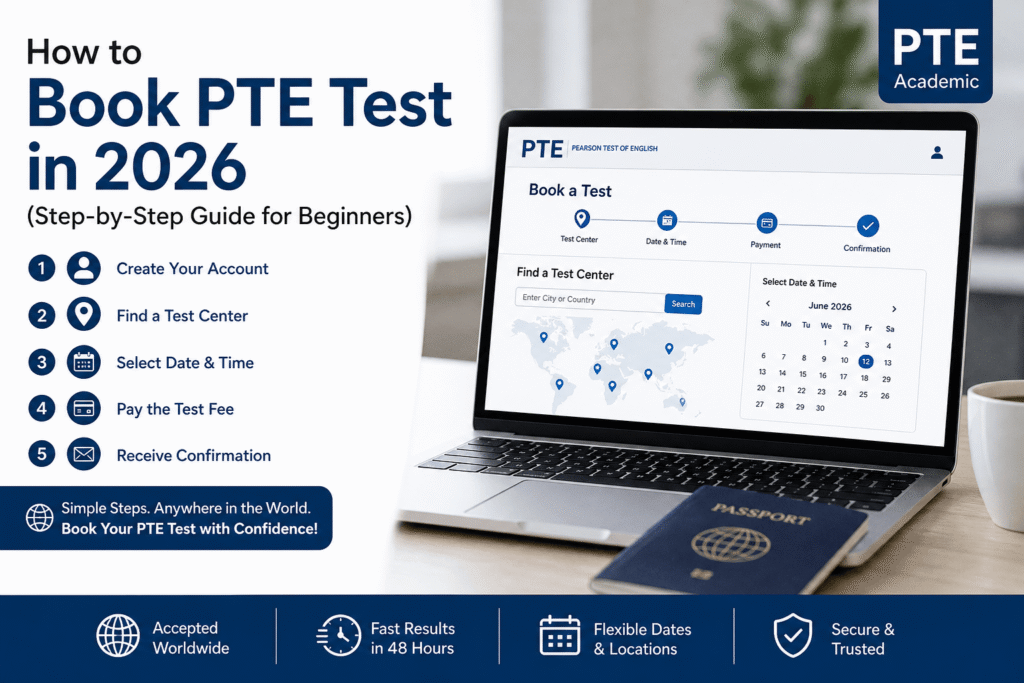
Book a PTE test 2026 by following this simple step-by-step guide. The process is quick and can be completed online in just a few minutes.
Or a more direct version:
Book PTE test 2026 easily — create your account, choose a test center, pick a date, and pay online. Here’s how.
In this guide, you’ll learn exactly how to book your PTE test in 2026, including fees, test centers, and important tips to avoid mistakes.
What is PTE Academic?
The PTE Academic test is conducted by Pearson PTE and is widely accepted for:
- 🎓 University admissions
- 🌍 Immigration purposes
- 💼 Work and professional registration
It is a computer-based English language test with fast results, usually within 48 hours.
Step-by-Step Guide to Book PTE Test
Step 1: Create Your Account
Visit the official PTE website and sign up.
- Use a valid email address
- Enter your details exactly as per your passport
- Create a secure password
Step 2: Log In to Your Account
After registration, log in to access your dashboard and start booking.
Step 3: Choose Test Type
Select PTE Academic based on your purpose (study, work, or migration).
Step 4: Find a Test Center
Search for PTE test centers in your city or country.
- Available worldwide
- Multiple dates and locations
Step 5: Select Date & Time
Choose a suitable test date and time.
👉 Tip: Book early to get your preferred slot.
Step 6: Enter Personal Details
Make sure all details match your passport:
- Full Name
- Date of Birth
- Passport Number
⚠️ Incorrect details may lead to test cancellation.
Step 7: Review Your Booking
Double-check all the information before confirming your test.
Step 8: Pay the Test Fee
Complete your booking using:
- Credit/Debit Card
- Online payment options
💰 PTE Exam Fee: Varies by country (check official website for latest price)
Step 9: Receive Confirmation
After payment, you will get a confirmation email with:
- Test date
- Test center details
- Important instructions
PTE Test Booking Tips
✔ Always use a valid passport
✔ Book your test at least 2–3 weeks in advance
✔ Check the test center location carefully
✔ Prepare with mock tests before the exam
Common Mistakes to Avoid
❌ Entering incorrect personal details
❌ Booking last-minute slots
❌ Not checking email confirmation
❌ Ignoring test day instructions
Can You Reschedule or Cancel PTE Test?
Yes, you can reschedule or cancel your test through your account.
- Changes are allowed with applicable fees
- Refund depends on how early you cancel
How do I book a PTE test in 2026?
What is the PTE exam fee in 2026?
Can I reschedule or cancel my PTE test booking ?
What documents do I need to book the PTE test?
How early should I book my PTE test?
What happens after I pay for my PTE test?
Where can I find a PTE test center near me?
What are the common mistakes to avoid when booking PTE?
Entering incorrect personal details
Booking last-minute slots
Not checking your email confirmation
Ignoring test day instructions